
A SMALL START
Get started with Alpine Code
An AI coding agent that works in folders on your computer.
Install it, connect a model and try a small task.
1. Get the app
- Alpine Code is taking a waitlist. Sign up for the launch notice and we'll email you a download link as soon as the Mac app opens.
- Open the
.dmgfile you receive and move Alpine Code into Applications. - Launch Alpine Code from Applications.
It opens first on Apple silicon (M1 or later) Macs running macOS 11 or later. Windows desktop support is in progress.
2. Connect a model
On first launch, choose one of the model connection options below.
Sign in with a supported ChatGPT account
Follow the ChatGPT sign-in flow in the app. Check the connection screen for supported subscriptions and account requirements.
Connect an API key
Choose a provider in the app and enter its API key. Your provider bills API usage. Chat subscriptions and API access may be separate.
Connect a local or compatible server
Run a model with Ollama, LM Studio or vLLM, then configure the server address and model in the app. The model must be running with a compatible API configuration.
You can add or change connections later in Settings.
3. Start your first task
- Open a project folder.
- Describe what you need. For example: “Explain how this project is organized.”
- In the default mode, review requests to edit files or run commands and decide whether to allow them.
- Review changed files, executed commands and their results.
Start with an explanation or a small edit. Changing the permission mode also changes which actions need approval.
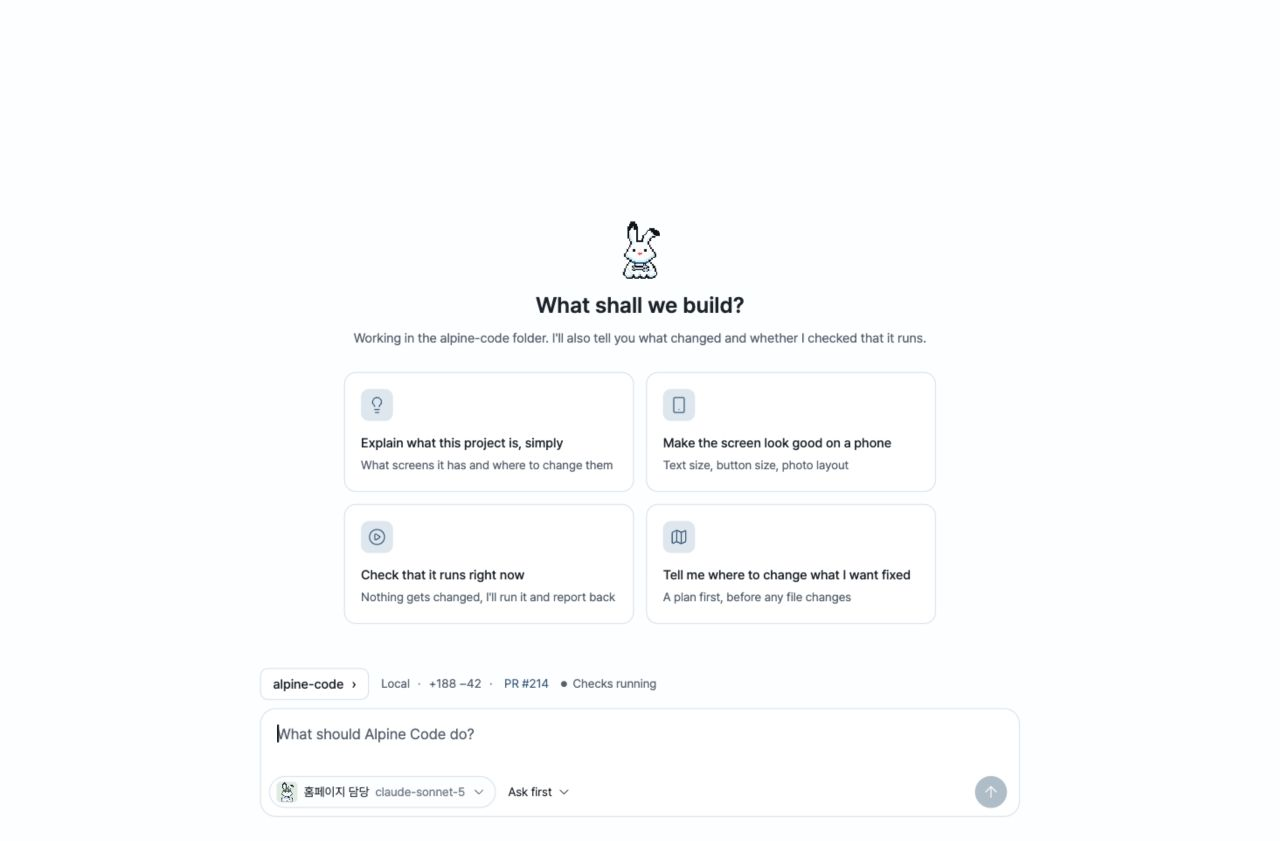
Create agents for your work
Set an agent's name, model, instructions and tools. Start with a role such as builder or reviewer, then adapt it to your project.
Every agent is a snow hare with a bent ear and wrench necklace. Accessories and background colors distinguish them. Choose an agent from the conversation composer.
You can also add project rules to AGENTS.md or CLAUDE.md.
Files and privacy
Work happens in folders on your computer. Conversations and model connection settings are stored locally. API keys are stored in ~/.alpine-code.
Requests and relevant task content are sent to the model you connect. External providers handle data under their own policies. Choose a local model to run inference on your computer.
Need a hand?
Open a GitHub issue with your environment and steps to reproduce the problem. Leave out API keys and personal information.
Want to contribute? Read the contributing guide.